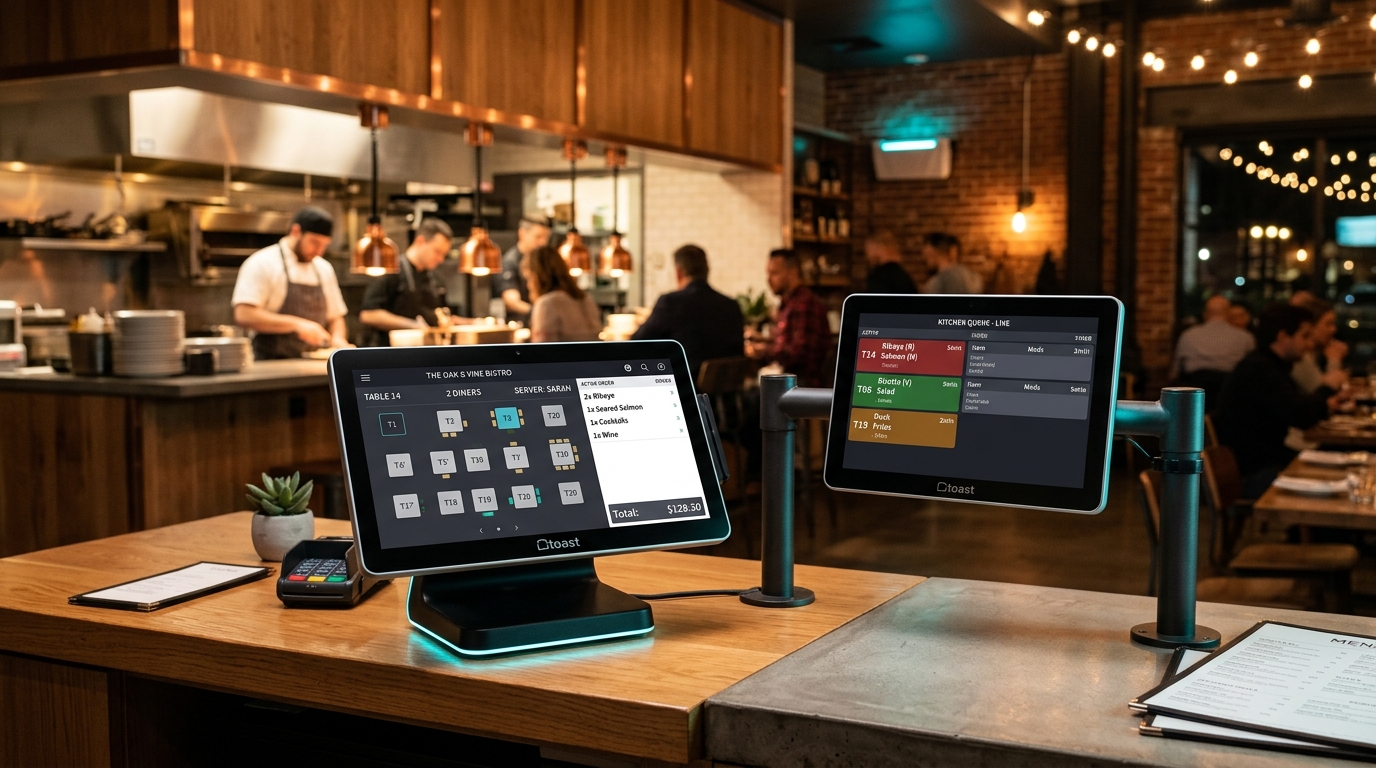
A Restaurant POS System accelerates dining turnover by replacing paper order pads with digital table mapping, instantaneous Kitchen Order Tickets (KOT), real-time recipe ingredient tracking, and multi-tender bill settlement.
- Core Capabilities: Visual table management, Kitchen Display System (KDS), split billing by guest or item, and recipe inventory deduction.
- Measurable Impact: Reduces average food delivery times by 22% and prevents kitchen communication errors by up to 90%.
- Essential Architecture: Local network (LAN) printer and KDS syncing to maintain uninterrupted service during internet dropouts.
Why Modern Restaurants Need Specialized POS Software
Running a fast-paced restaurant or cafe involves coordinated chaos: servers handling guest requests, cooks managing simultaneous tickets, and managers tracking fluctuating food margins. Standard retail cash registers cannot handle table states, modifiers, or kitchen routing.
According to restaurant operations research by Billing Computer, establishments utilizing unified digital POS and Kitchen Display Systems achieve 25% faster table turnover during peak dinner rushes and reduce kitchen food waste by 18%.
4 Core Capabilities of High-Performance Restaurant POS
1. Visual Floor Plan & Table Management
- Interactive visual map representing dining rooms, patios, and VIP areas
- Color-coded table statuses: Available, Occupied, Order Placed, Bill Printed, and Needs Cleaning
- Seamless table transfers and order merging for large parties
2. Digital Kitchen Routing (KOT & KDS)
- Instant transmission of orders from server handhelds to kitchen printers or KDS touchscreens
- Station-specific filtering: Beverage orders route to the barista station; entrees route to the hot line
- Item modifiers and allergen notes highlighted clearly (e.g., No Nuts, Extra Dressing, Gluten-Free)
3. Recipe-Level Ingredient Inventory
- Automatic deduction of raw ingredients per dish sold (e.g., burger patties, buns, burger sauce)
- Real-time gross margin and cost-of-goods-sold (COGS) reporting
- Automated low-stock purchase order suggestions before key ingredients run dry
4. Flexible Check Splitting & Multiple Payment Methods
- Split checks evenly among guests or divide specific dishes by seat
- Direct acceptance of cash, credit/debit cards, QR mobile wallets, and digital loyalty points
- End-of-shift cashier reconciliation with zero discrepancy variance
Traditional Cash Register vs. Restaurant Smart POS
| Operational Metric | Manual Cash Register | Smart Restaurant POS (Billing Computer) |
|---|---|---|
| Order Transmission to Kitchen | Physical paper runner (2–5 min delay) | Instant digital routing (0.5 seconds) |
| Order Modification Errors | Frequent illegible handwriting errors | Standardized modifier prompts |
| Bill Splitting | Slow manual mental math (5+ min wait) | 1-click split by seat or item |
| Recipe Stock Tracking | Impossible, estimated at month-end | Real-time ingredient deduction |
| Peak Rush Resiliency | Long queues, bottlenecked kitchen | Parallel server ordering & KDS queues |
| Daily Sales Reconciliation | 1–2 hours manual register counting | Automated Z-report in seconds |
How to Choose the Right Restaurant POS Architecture
When evaluating restaurant software, look for these critical non-negotiable features:
- Local-First Reliability: Internet outages are common. Your POS should continue printing tickets and punching orders locally via your local Wi-Fi router without crashing.
- Intuitive Touchscreen UX: High staff turnover in hospitality requires an interface that a new server can master in under 30 minutes.
- Comprehensive Audit Logs: Every canceled order, discount, or cash drawer opening should be logged with manager authorization to eliminate internal shrinkage.
Frequently Asked Questions (FAQ)
Yes. Modern restaurant POS platforms support handheld tablets and mobile phones. Servers can take orders tableside and send them directly to the kitchen without walking back to a fixed station.
The software features dedicated order types for Dine-In, Takeaway, and Home Delivery, tracking rider dispatches and customer phone numbers for repeat ordering.